


Sephora: Buy Makeup & Skincare
3.921.95K Reviews
App Specs
- Version
- 26.20.1
- Updated On
- License
- Free
- Downloads
- 10,000,000+
- Developer
- Sephora USA, Inc.
- Categories
- Beauty
- Platform
- Android, iOS
Screenshots
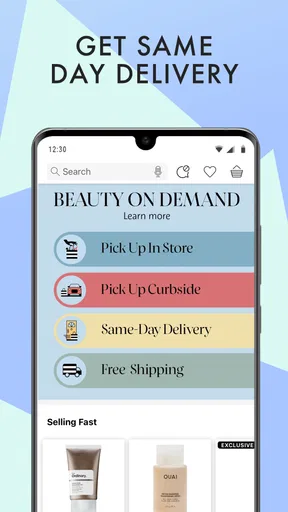
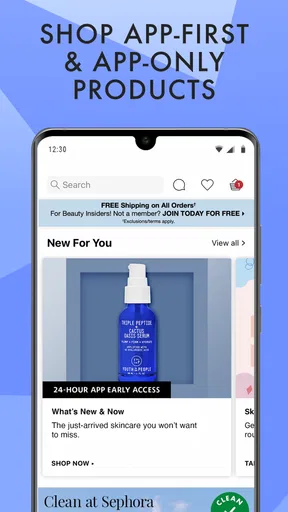
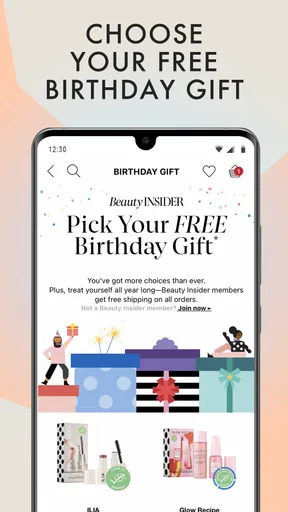
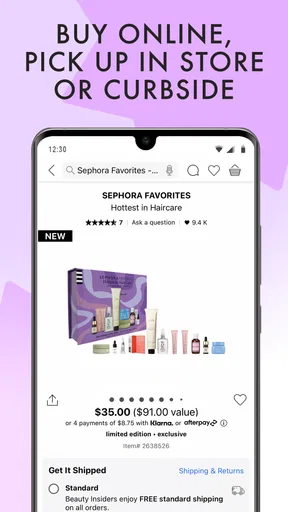
 Analysis by AppCompare
I find shopping for beauty easiest when I can slow down, compare options, and read without feeling rushed. Sephora’s app is built around that kind of browsing: it brings makeup, skincare, and fragrance into one retailer’s catalog, with product details and customer opinions close at hand. That makes it useful for planning a purchase as well as placing one, though it is still a shopping app rather than an independent guide to every brand on the market.
Reading product pages at your own pace
Beauty shopping can be unusually demanding to read. A foundation shade name may not tell me much, while skincare descriptions can include ingredients, routines, and claims that take time to weigh. I like being able to open a product page, pause, and return to it instead of trying to remember details from a crowded store shelf. Customer reviews add another perspective, especially when I want to see how other buyers describe texture, wear, or day-to-day use.
That information is helpful, but I would treat reviews as clues rather than a verdict. Skin, preferences, and expectations differ, and a glowing comment cannot tell me how a product will behave for me. My practical approach is to look for several reviews that mention the same specific quality, then compare those comments with the product description. If I am choosing a shade or a skincare item for a particular concern, I still make the final call carefully rather than relying on a recommendation alone.
The category layout also gives me a straightforward starting point when I know what kind of item I need. If I am only browsing, though, a large beauty catalog can still mean plenty of scrolling and choices. I find it more useful to open the app with a small question in mind—such as whether I need a replacement cleanser or want to compare lip colors—than to expect the screen to narrow every option for me.
Navigation, try-on, and different ways of browsing
Ever been on the hunt for that perfect shade of lipstick or the newest skincare trend? Well, let me tell you about my experience with the Sephora: Buy Makeup & Skincare app. It's like having a personal beauty consultant right in your pocket. Let’s dive into the details, shall we?
A Beauty Wonderland at Your Fingertips
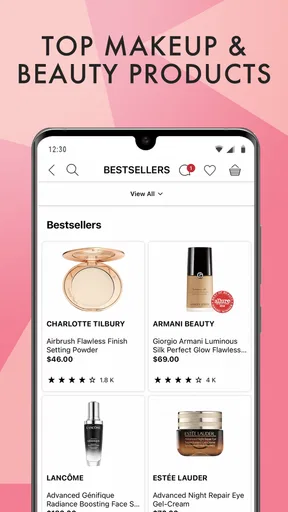
First off, navigating the Sephora: Buy Makeup & Skincare app is a breeze. The interface is smooth and intuitive, making it super easy to find exactly what you're looking for. Whether you’re browsing for makeup, skincare, or fragrance, everything is neatly categorized, so no more endless scrolling. I felt like a kid in a candy store with all the options available!
For me, the strongest case for using this app is when I already have a short list. If I have a product name, brand, or type in mind, a retailer’s own catalog is often more direct than general online search, which can mix retailer pages with unrelated articles and stores. If I am at the very beginning of a search, I may still look at independent beauty coverage or compare retailer catalogs, because Sephora naturally shows me products it sells rather than the full market.
Worth Reading Before You Choose

Flipboard Shows What News Apps Must Do Beyond the Feed

Switching to Android Auto Means Rethinking Your Driving Routine

Google Calendar Makes a Crowded Week Easier to Manage

Ludo King Makes the Most of the Minutes Between Plans

Baby Panda World Brings Quick Play to Modern Phones, but Its Game Library Feels Busy

ESPN’s Live Game View Makes Following Close Games Easier
It also helps to separate discovery from decision-making. I might save a few possibilities while browsing, then revisit the product pages when I have time to compare shade descriptions and customer feedback. That small pause can keep me from buying the first appealing option just because it appeared prominently. Favorites are particularly useful for keeping a short comparison list together, but I would not treat saving an item as a substitute for checking that it suits my needs.
Features That Shine
One of the coolest features has to be the virtual try-on tool. You can literally see how different shades look on you without leaving your couch. It's like having a virtual glam squad at your disposal. Plus, the app offers personalized recommendations based on your previous purchases and preferences. It's like it knows me better than I know myself!
I see virtual try-on as a screening tool, not a guarantee of an exact match. A screen can help me rule out shades that look obviously wrong or compare a few colors side by side, but lighting, display settings, and the difference between a digital preview and a real product all matter. I would use it to make a shortlist, then check other available information before committing—especially when the shade is a meaningful part of the purchase.
Personalized suggestions can be convenient when I want ideas that connect with what I already buy. The trade-off is that a shopping recommendation can reinforce familiar preferences instead of helping me find a genuinely different option. When I want to explore beyond my usual routine, I deliberately search by product type or concern rather than accepting the first suggestion. That way, recommendations become a starting point, not the whole decision.
And let’s not forget about the beauty tutorials and reviews. They’re perfect for when you need a little inspo or are unsure about a product. The community reviews are super helpful and give a real-world perspective on how products perform.
Those resources are most useful when I have a specific question. A tutorial can help me understand how a look is put together, while a review may offer practical context that a polished product description cannot. I still keep the two separate in my mind: a tutorial inspires a technique, whereas a review reflects one person’s experience. Neither replaces professional advice for a persistent skin problem or a careful check of ingredients when I know I need to avoid something.
Motor and sensory considerations
Shopping from a phone can be easier than walking through a busy store, but it comes with its own demands. Tapping through product pages, comparing shades, and reading long descriptions takes attention and some precise interaction. I find that a focused task—replacing one familiar item, for example—is much easier to manage than open-ended browsing through many categories. A saved list can also make a later visit less demanding because I do not have to rebuild my choices from scratch.
For anyone sensitive to visual clutter or easily overwhelmed by too many options, the sheer variety is a real consideration. Beauty catalogs invite browsing, but more choices do not always make a decision easier. I would narrow the task before opening the app: choose a product type, set a couple of personal priorities, and compare only a few candidates. If I am tired, in a hurry, or finding small-screen reading uncomfortable, I may prefer to research on a larger screen or ask for in-person help instead.
Virtual try-on also has a sensory and practical limit: it is visual, so it cannot show how a formula feels, smells, wears over time, or interacts with someone’s routine. I would not use a preview to judge comfort or texture. For those questions, written product details and varied customer experiences are more relevant, and sampling in person may be a better route where that is available to me.
Situational access and everyday routines
A realistic use for me is checking a nearly empty skincare staple while commuting home. I can look up the item, read a few relevant comments, and save it if I want to think before buying. If I need it immediately, browsing an app does not solve the timing by itself; I would need to consider the available purchase and delivery choices at checkout. I also would not assume an item is in stock or that a particular delivery arrangement suits my schedule without checking the current details in the app.
The app’s auto-replenish option may suit someone who uses the same beauty product steadily and wants to avoid remembering each repeat purchase. The stated benefit is five percent off with auto-replenish deliveries, but I would use that only for items I am confident I will continue using. A moisturizer that is seasonal, a shade I am still testing, or a product I use irregularly is a poor candidate for automatic repeat ordering. Before choosing it, I would review the delivery and renewal details shown during setup so the convenience does not turn into an unwanted shipment.
Sephora is a beauty retailer, so its catalog is most useful when I am already open to shopping there. Compared with a beauty discussion forum, it puts purchasing and product browsing together, but it is less suited to open-ended conversations with other users. Compared with a general marketplace, its focus is beauty-specific, while a general marketplace may be more convenient for someone who wants to compare many kinds of goods in one place. I choose the retailer app when product discovery and shopping in that beauty setting are the point; I look elsewhere when I want broader market coverage or advice detached from a shop.
Shopping Made Easy
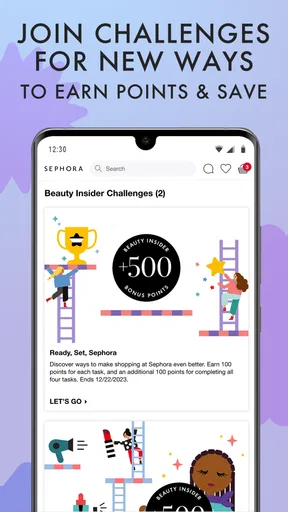
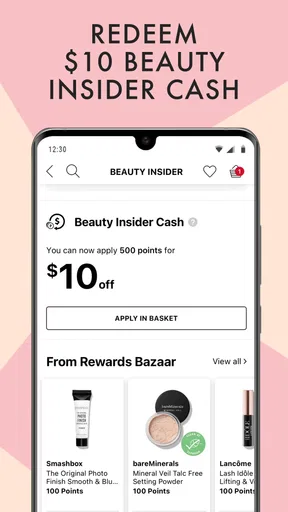
Checkout is a breeze with multiple payment options and the ability to save your favorite products for later. The app also keeps track of your beauty points, which can be redeemed for exclusive rewards. It’s a little addictive seeing those points rack up, I must admit!
When I am deciding whether a free beauty app is worth installing, I also consider whether I will use it beyond a single purchase. Sephora’s app is free, and the retailer behind it is Sephora USA, Inc. It has a four-point-zero average rating from around eighty thousand ratings, with over five million installs. Those figures suggest it has a substantial audience, but they do not tell me whether its catalog or shopping flow will fit my own habits. I would judge that by trying a focused search and seeing whether the product information answers the questions I actually have.
The age rating is Everyone, and the app’s current version is 25.20.1; it requires Android 10 or later. It was released on December 16, 2013, so this is an established shopping app rather than a new arrival. I would still check that my device meets the operating-system requirement before relying on it. If I am shopping on behalf of someone else, I would also make sure the account and order details are handled appropriately rather than assuming that a beauty catalog alone covers those practical steps.
One useful habit is to think of saved products as a decision workspace. I can keep a replacement item separate from a curiosity purchase, then revisit the two for different reasons: one is about convenience, the other about whether I genuinely want to try something new. This makes it easier to resist treating rewards or recommendations as a reason to buy more than I planned. A points balance can be enjoyable, but I would first decide whether the product is right for me and only then consider any reward value.
Remaining barriers and who should look elsewhere
There are situations where I would skip this app. If I need a broad comparison across retailers, I would use a source that covers more than one seller. If my priority is advice from a dermatologist, a makeup artist, or someone who can assess my individual needs, a retail app cannot take the place of that conversation. And if I want to test texture or see a color in real-world lighting before buying, an in-person visit may be more useful than a digital preview.
It may also be the wrong choice for someone who finds shopping nudges distracting or would rather keep personal preferences and purchase history out of a retailer’s personalized recommendations. In that case, browsing without relying on suggested items—or using a less personalized research method—may feel more comfortable. I would keep recommendations in their proper role: helpful prompts that can save time, not neutral or comprehensive beauty advice.
For accessibility in everyday use, I would not assume that a particular control, text size, or screen-reader behavior will work well for every person. The practical test is whether the pages and shopping steps are comfortable on your own device and with your usual settings. If an essential part of the process is difficult, a store visit or another way of shopping is a reasonable alternative. I value the app’s organized browsing, but that does not make it the right interface for every ability or situation.
Final Thoughts
All in all, the Sephora: Buy Makeup & Skincare app is a must-have for any beauty enthusiast. It’s convenient, packed with features, and makes shopping for beauty products a genuinely enjoyable experience. Whether you're a makeup newbie or a skincare aficionado, this app has something for everyone. Go ahead, give it a try, and let your beauty journey begin!
So, if you're ready to explore and elevate your beauty game, just head over to your app store and download it. Trust me, you won’t regret it!
An inclusive way to decide
My verdict is positive with a clear condition: this works best for someone who enjoys shopping Sephora’s beauty range and can comfortably browse on a phone. The combination of product pages, reviews, tutorials, saving favorites, and visual shade previews makes it easier to research at my own pace. It is less compelling if I want a neutral guide to every brand, need tactile testing, or find screen-based browsing tiring.
I would start with one practical task, such as finding a familiar replacement, then see whether the navigation and product details work for me. If they do, I can explore more deliberately; if they do not, I have learned that before building a routine around the app. That is the most inclusive way I know to judge it: treat its useful tools as options, keep a backup shopping route, and choose the method that fits my needs that day.
Pros
- Extensive product range available.
- Easy-to-use interface and navigation.
- Personalized recommendations feature.
- Convenient in-app makeup tutorials.
- Loyalty rewards and exclusive offers.
Cons
- Occasional app crashes reported.
- Some features require account sign-up.
- Limited payment options available.
- Availability varies by region.
- Slow customer service response.
FAQs for Sephora: Buy Makeup & Skincare
What features does the Sephora app offer?
The Sephora app provides a comprehensive shopping experience with features like product reviews, personalized recommendations, and a virtual try-on tool. Users can explore a vast selection of makeup, skincare, and beauty products. Additionally, the app offers a Beauty Insider program for rewards, exclusive deals, and early access to new products.
Can I use the Sephora app to track my orders?
Yes, the Sephora app allows users to track their orders with ease. Once you make a purchase, you can access the order status through the app. Notifications will keep you updated on shipping progress, ensuring you know exactly when to expect your delivery.
Is there a virtual try-on feature in the Sephora app?
Absolutely, the Sephora app includes a virtual try-on feature that lets users experiment with different makeup products. Using augmented reality, you can see how products will look on your face in real-time, helping you make informed decisions before purchasing.
How does the Beauty Insider program work on the Sephora app?
The Beauty Insider program on the Sephora app rewards you for shopping. You earn points for every purchase, which can be redeemed for exclusive products and experiences. The program also offers birthday gifts, early access to sales, and special event invitations, enhancing your overall shopping experience.
Are there any exclusive deals available through the Sephora app?
Yes, the Sephora app often features exclusive deals and promotions for its users. By enabling notifications, you can stay informed about flash sales, special discounts, and app-only offers. It’s a great way to save money and gain access to unique beauty products not available elsewhere.


